
Inform the library via email at pensum@nord.no if your subject does not require a syllabus.
The library will then arrange a syllabus list for you, informing the students of this.
If you want to create a list without syllabus yourself:
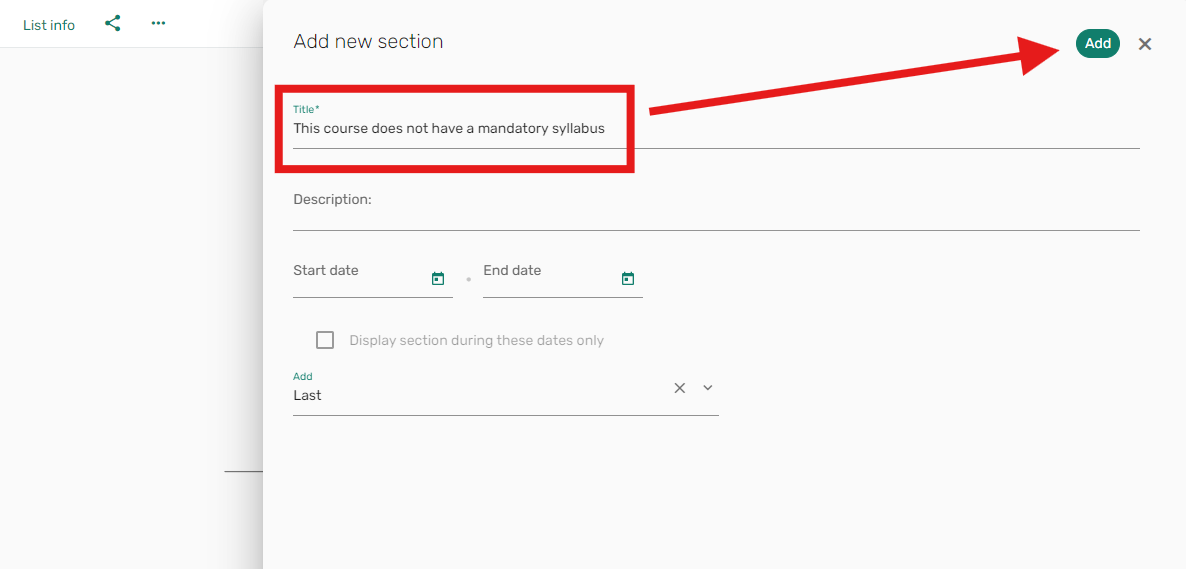
1. Remove all sections that may be on the list, so that it is empty. Then click the "New section" button.

2. Enter a title for the section. For example, "This course does not have a mandatory syllabus".
Click the "Add" button.
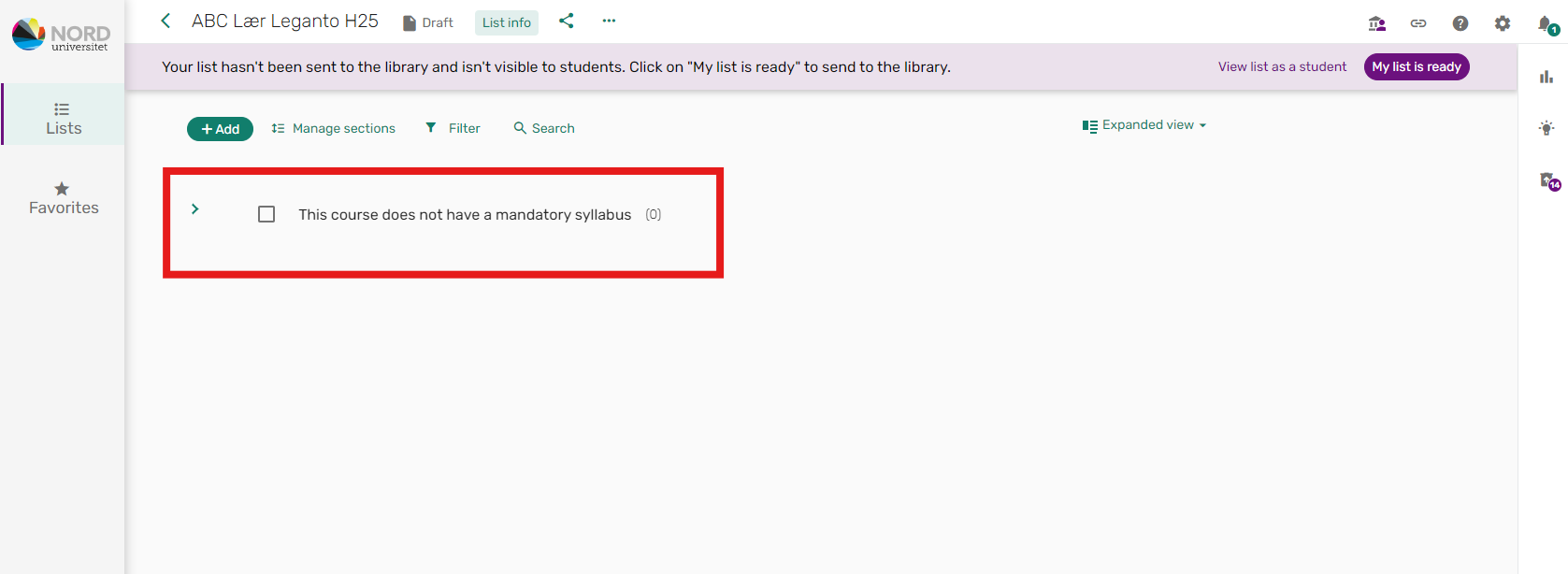
The section should now look like this:
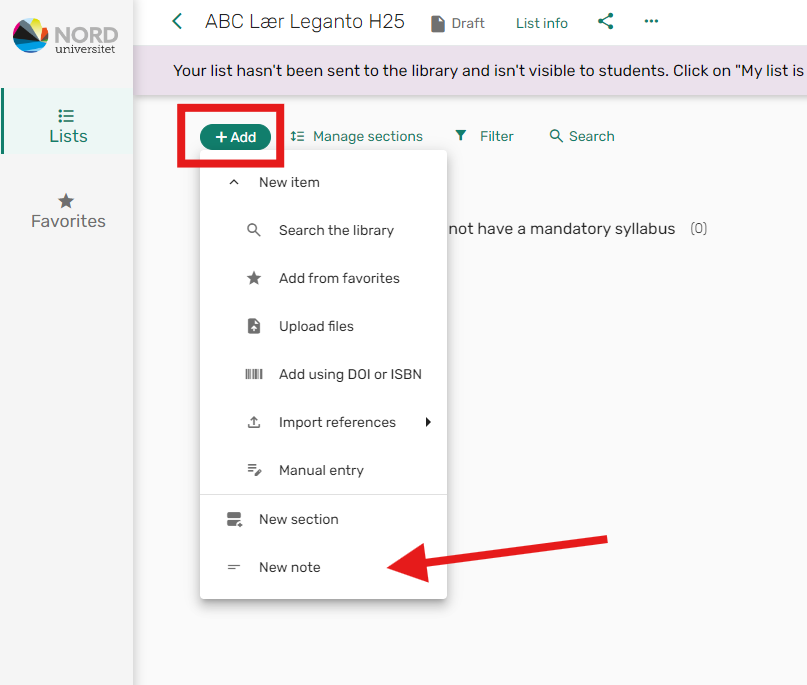
3. Click the "+ Add" button, and select "New note".
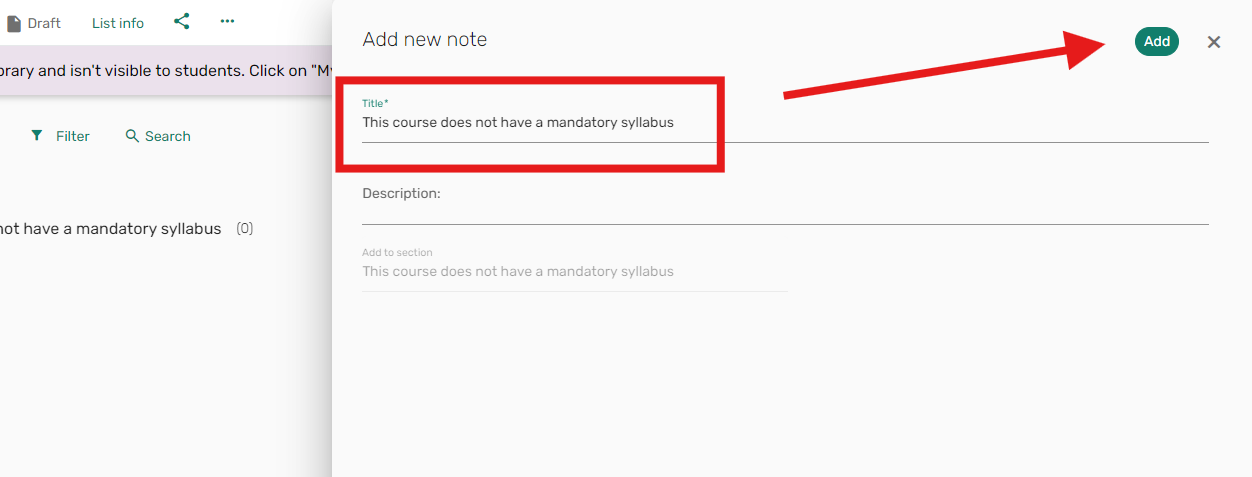
4. Enter the same title in the note as you wrote in the section, and click "Add": (The note is added for technical reasons)
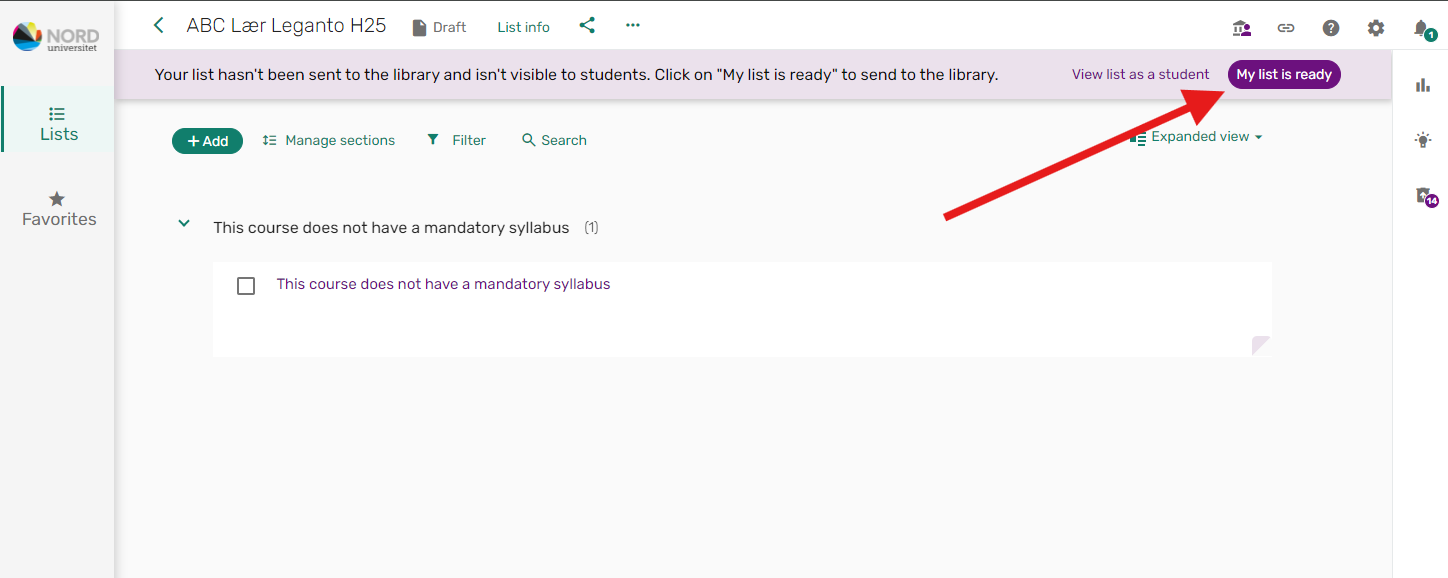
5. Your syllabus list is now ready for publication. Click the "My syllabus list is ready" button to send it to the library.