

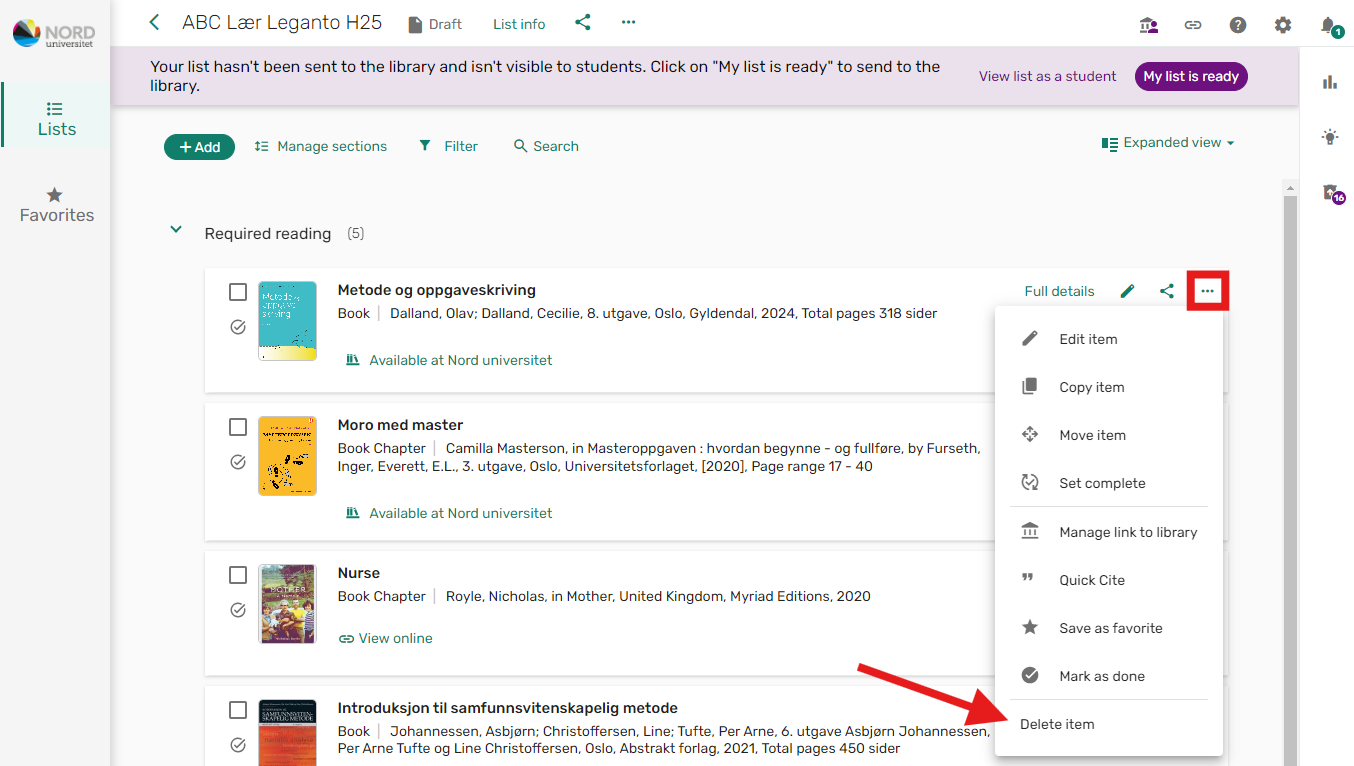
Hover your mouse over the reference you want to delete. Click on the three dots that appear in the top right corner, and select the "Delete item" option.
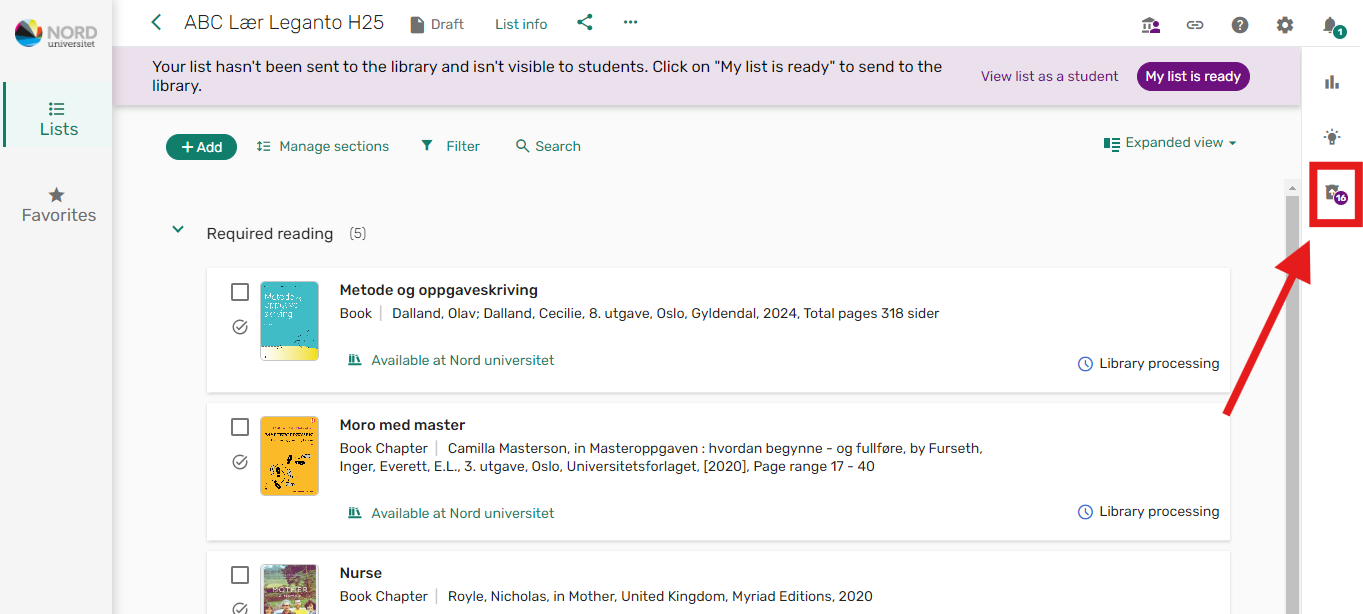
If you delete a reference by mistake, it can be retrieved back to the reading list via "Deleted items". This option only appears when you have deleted something from the list.
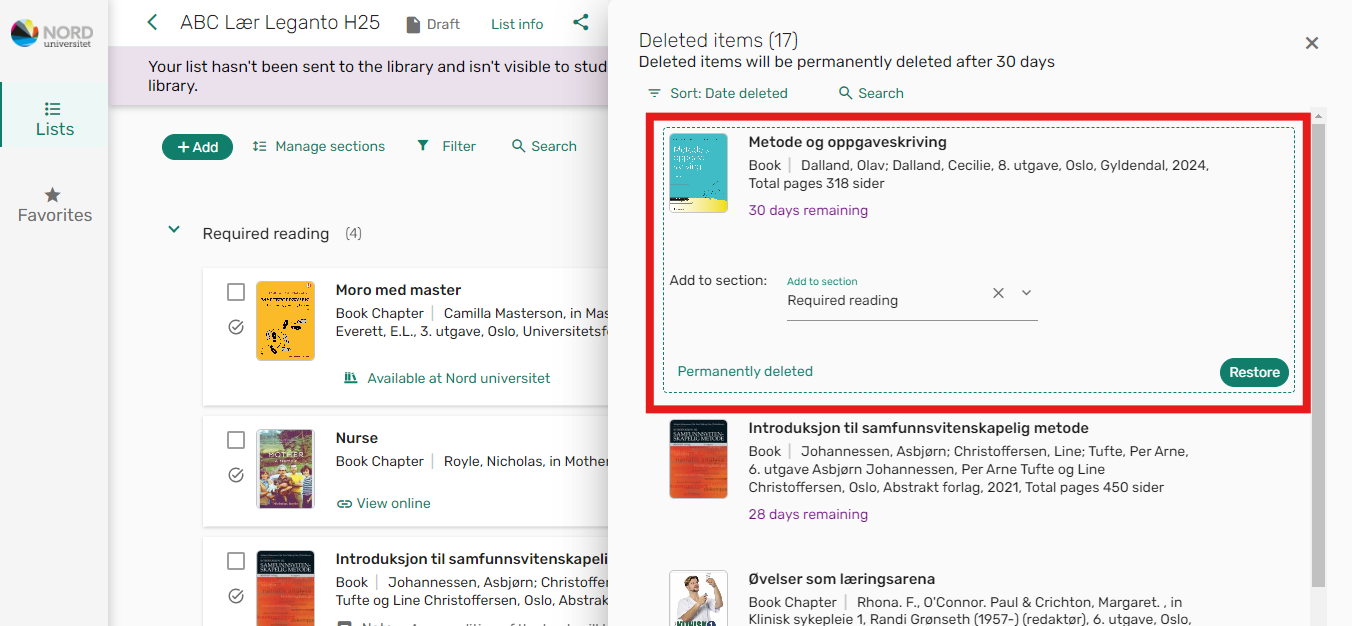
To retrieve a deleted reference back to the list, click on it, select the desired section, and click "Restore".
NB! If a new edition of a book is released, you must search for and add the new edition. Do not make changes to the old edition. It must be deleted!