

Only those registered as collaborators for the reading list can view and edit the list in Leganto.
Therefore, you must invite each individual instructor who may need access to the list. This is relevant, for example, if the course is offered at multiple campuses.
To add a new collaborator, open the reading list in Canvas and click on "Edit List".
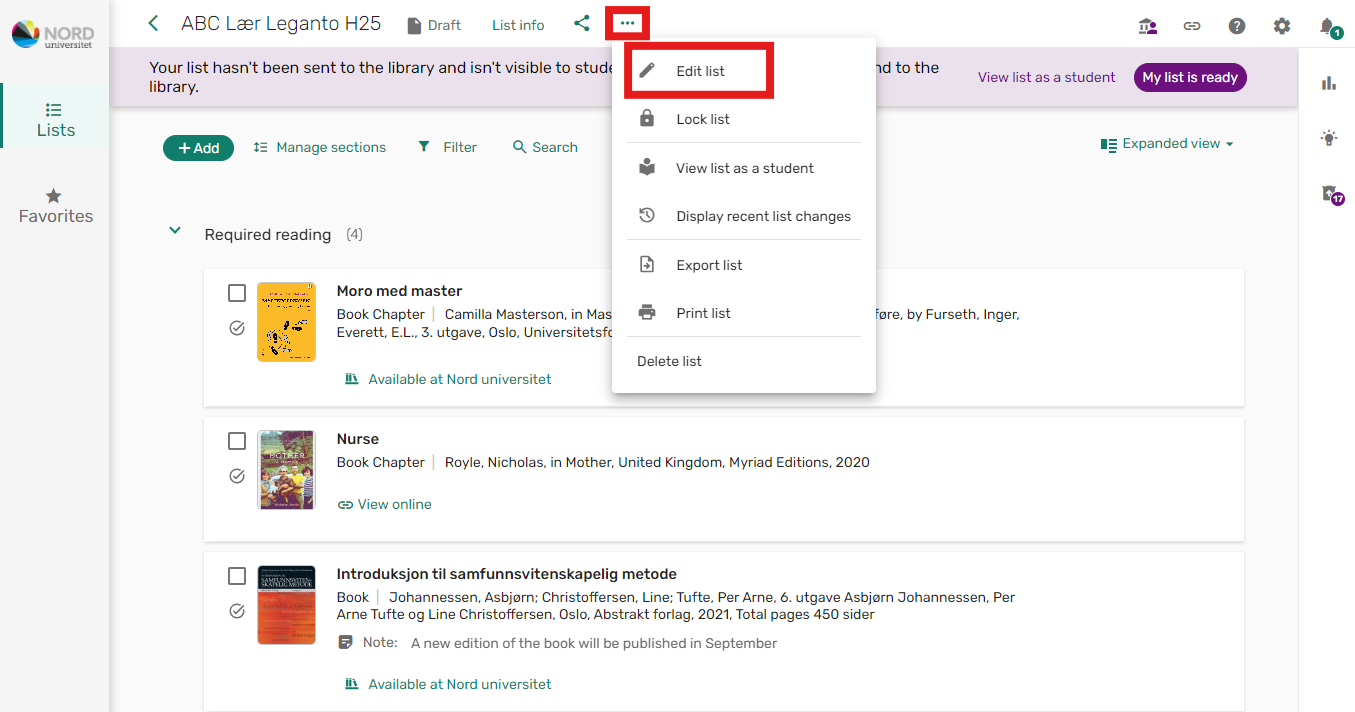
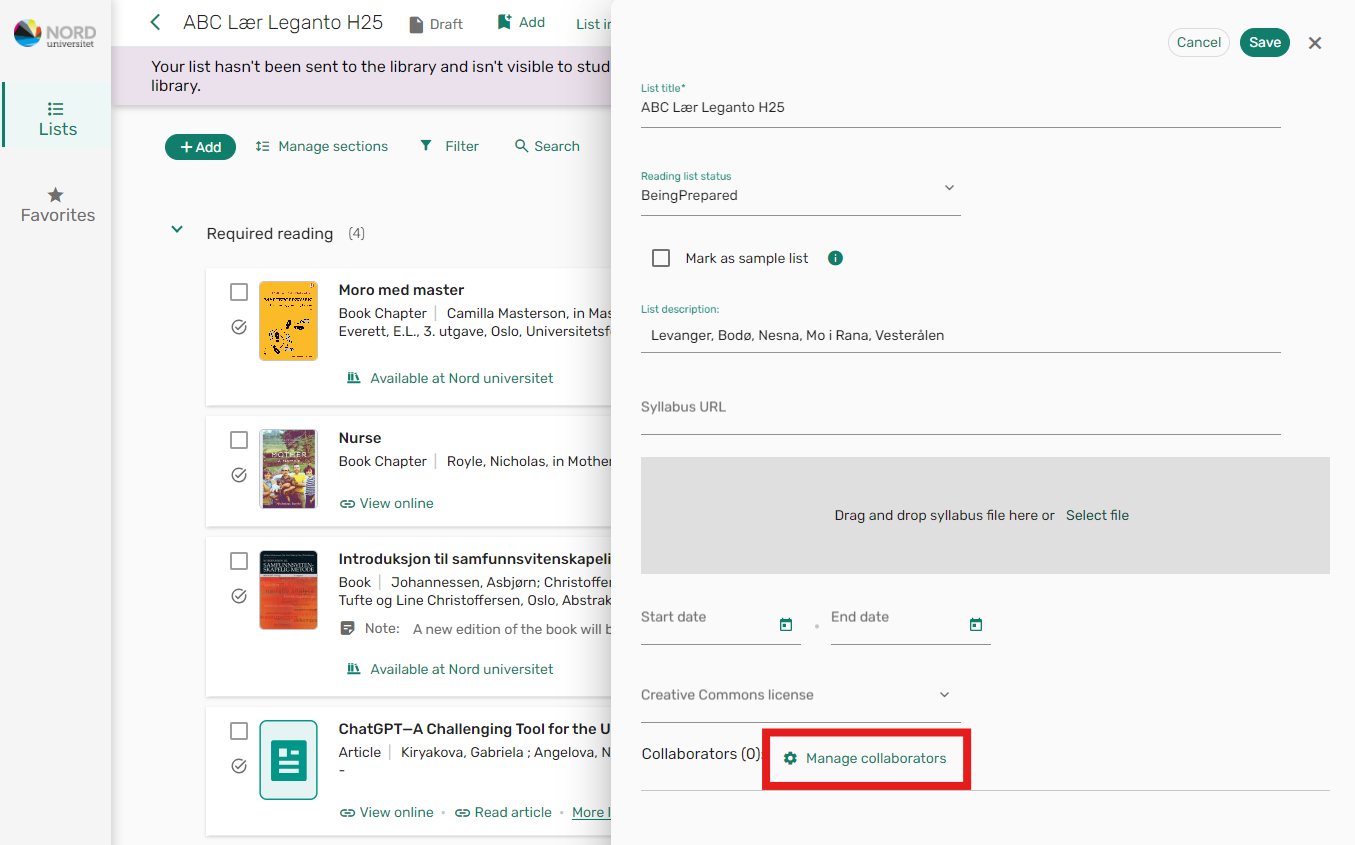
A new editing window will then open on the screen.
Click on the "Manage Collaborators" option at the bottom of the window.
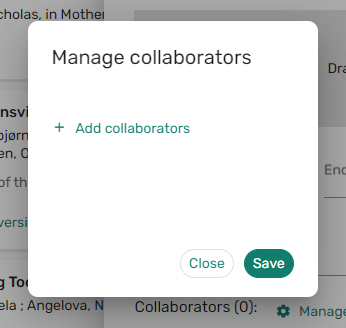
Click on "+ Add Collaborators"
Search for and select the collaborator you want to add, and click "Save"
If you cannot find the instructor you want to invite, send a message to pensum@nord.no
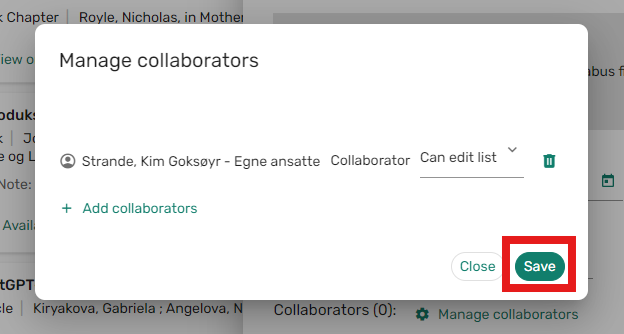
The collaborator is now added and can be seen in the list of collaborators.

The added collaborator will receive an email informing them of this, with a link to the reading list.