

It is possible to add comments to individual references in the reading list.
Here you can add information about page numbers, chapters, new editions, etc.
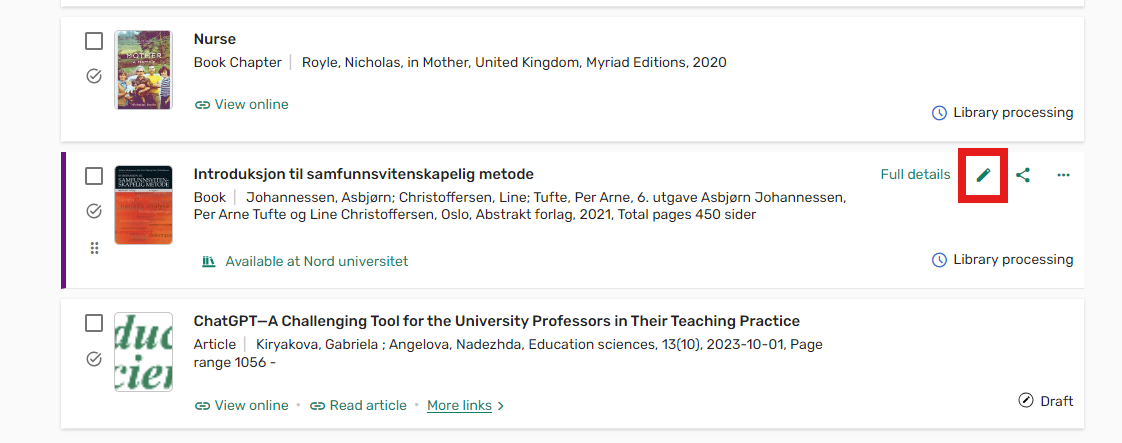
To add a comment, hover your mouse over the desired reference and select the "edit item" option:
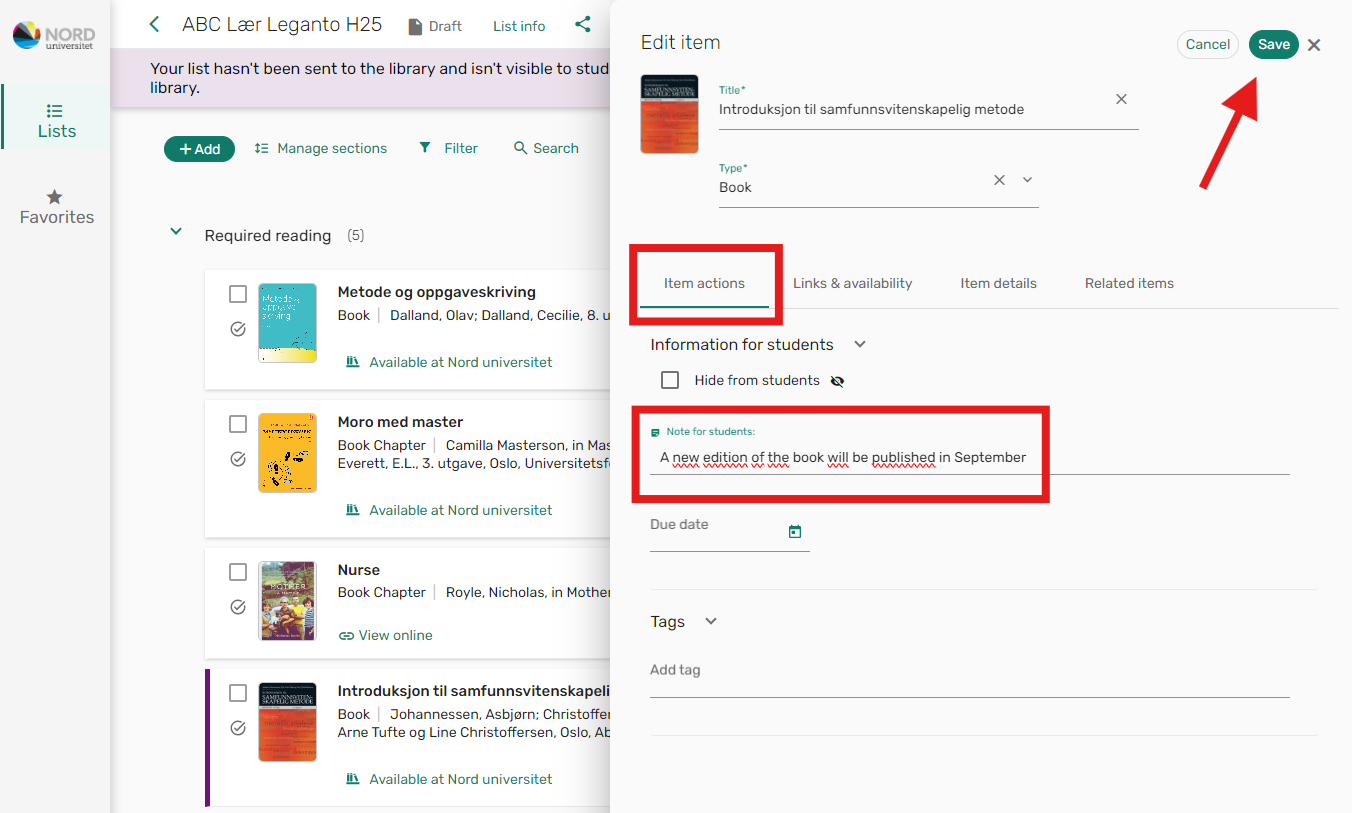
Go to the "Item actions" tab, and enter the information you want to share in the " Note for students" field.
Then click "Save".
The comment will appear like this in the reading list view:
