

Check if you have the latest edition of the book. Check the publisher's website. The latest edition should be used. This is the one the bookstore can provide for the students.
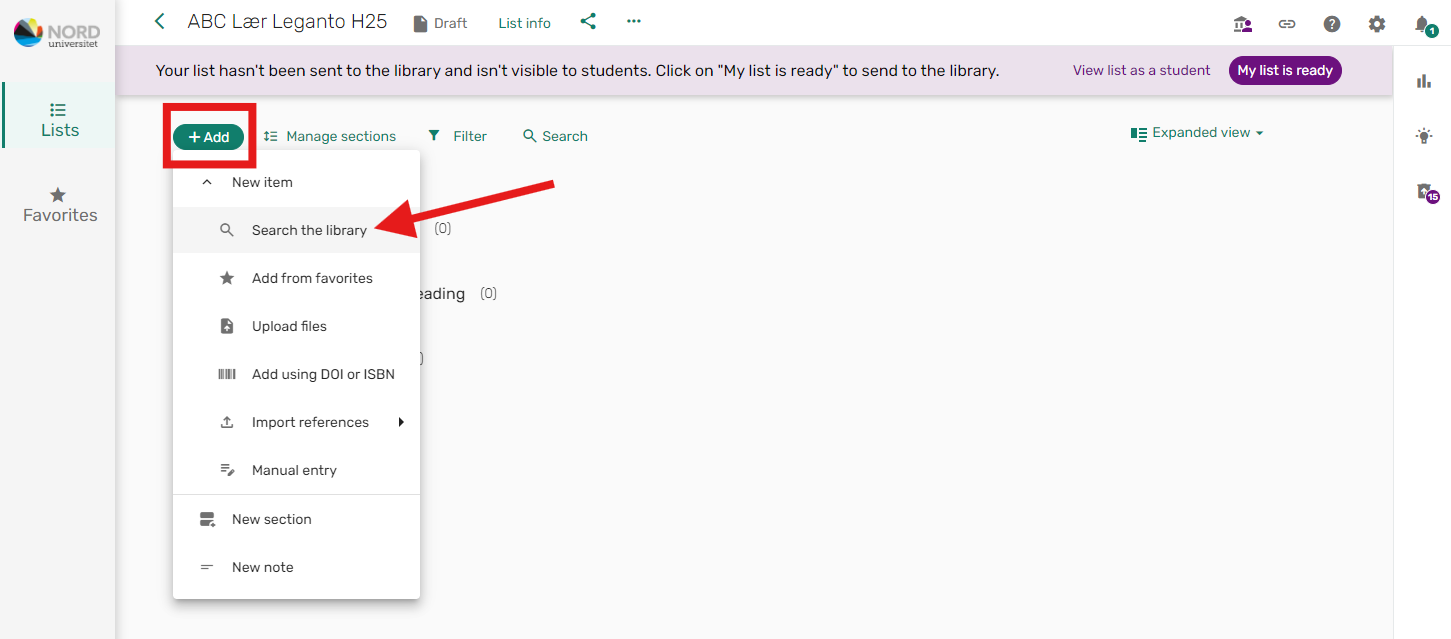
If you want to add new titles, select "+ Add" and click on the "Search in library" option:
You will then see the following search box, where you can choose to search in Nord University's collection or Norwegian academic libraries:

You will get a more accurate result if you search by the book's ISBN.
If you are unsure whether a newer edition of the book has been released, it is best to search by title. If you do not find the latest edition at Nord University, expand the search to Norwegian academic libraries.
Click on the book you want to add. Select the section it should be placed in, and click "Add".

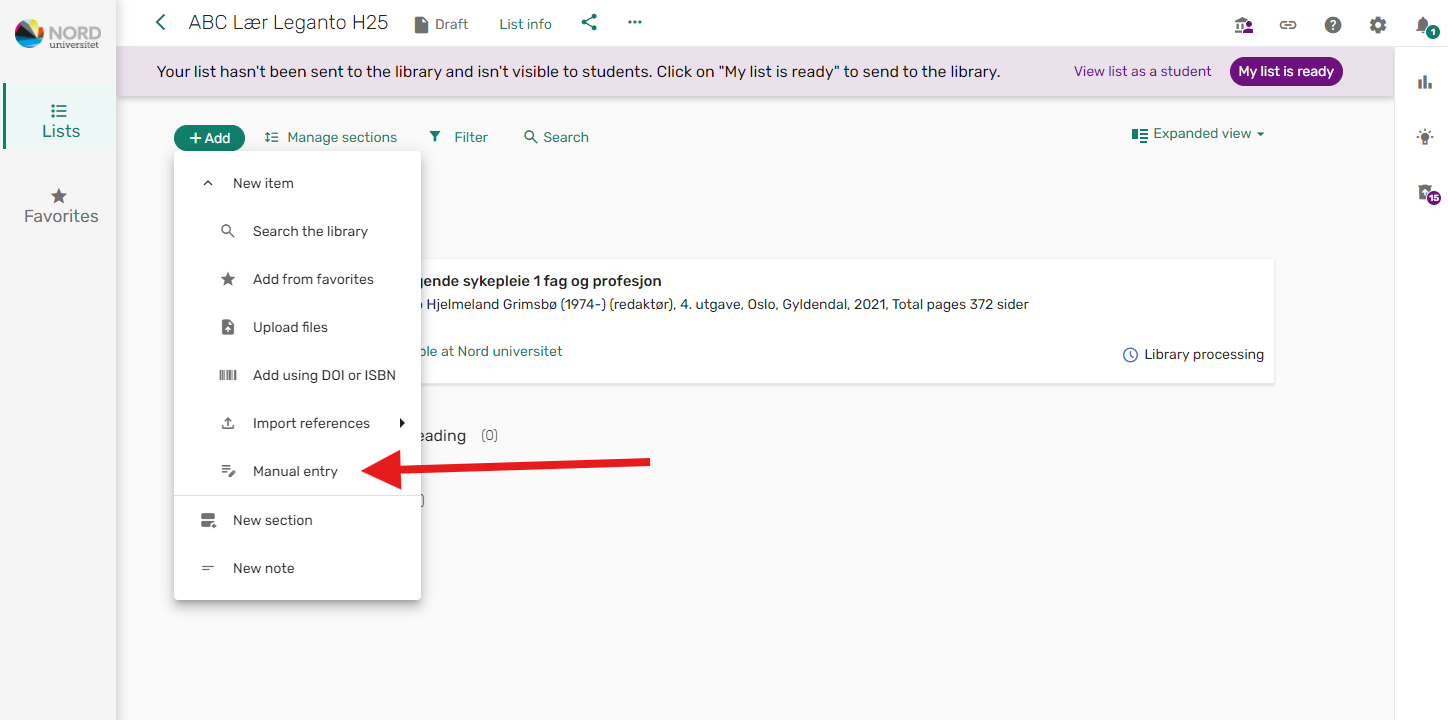
If you do not find the title via search, it must be registered manually.
Many of the e-books we subscribe to are only available for single-user access. This means that the book, when digitally borrowed (download book), is locked to one borrower for a given period. During this period, the book is not available to other borrowers.
We therefore recommend that you encourage students to use the "read online" option instead, and download the chapters individually as PDFs. There is a limit on how many chapters can be downloaded each day, so it may take a few days to save an entire book. This way, the book will always be available offline on their own computer.
Note that for Norwegian digital titles, students do not have the option to download chapters or print pages.